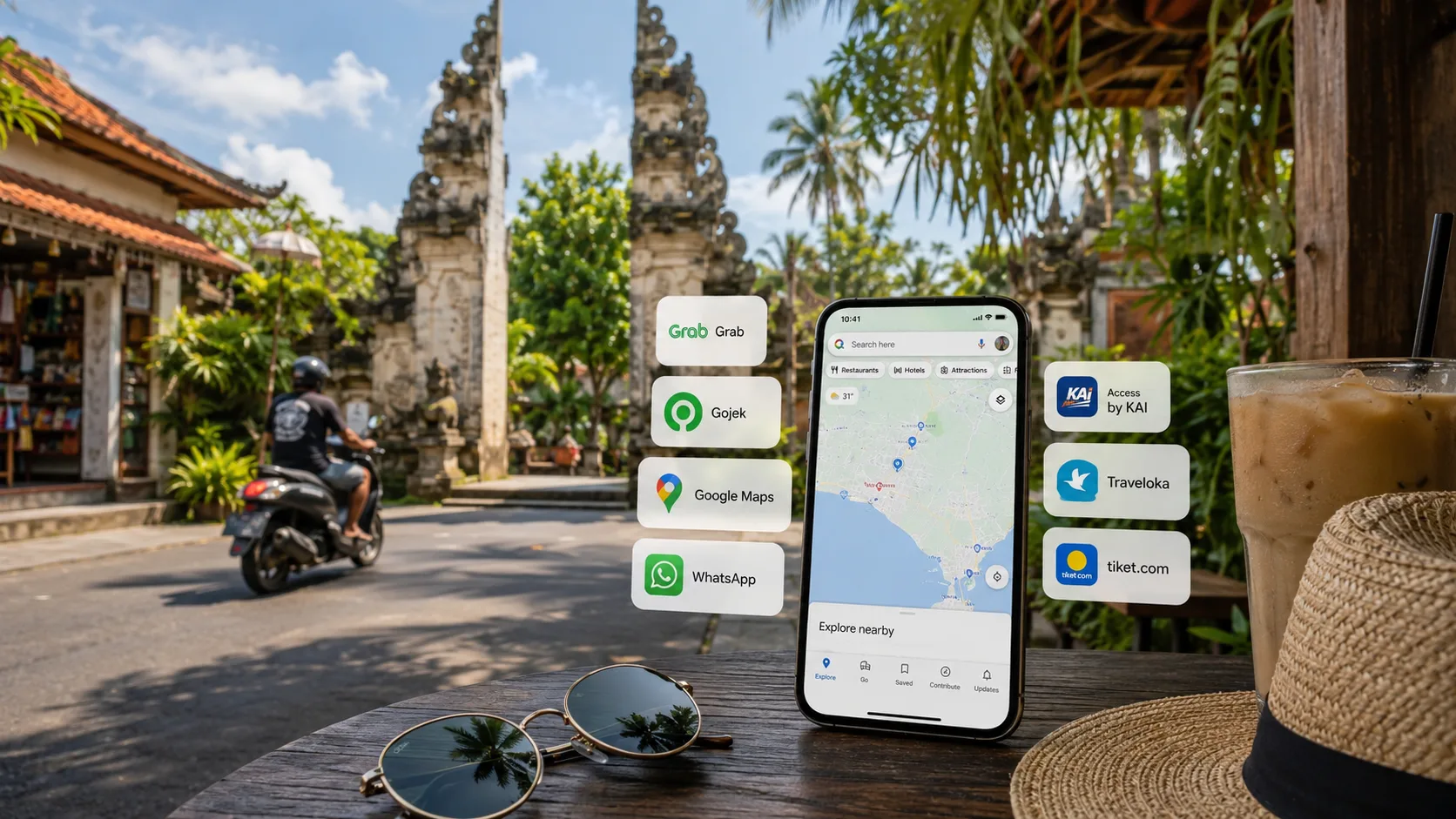
Best apps to install first
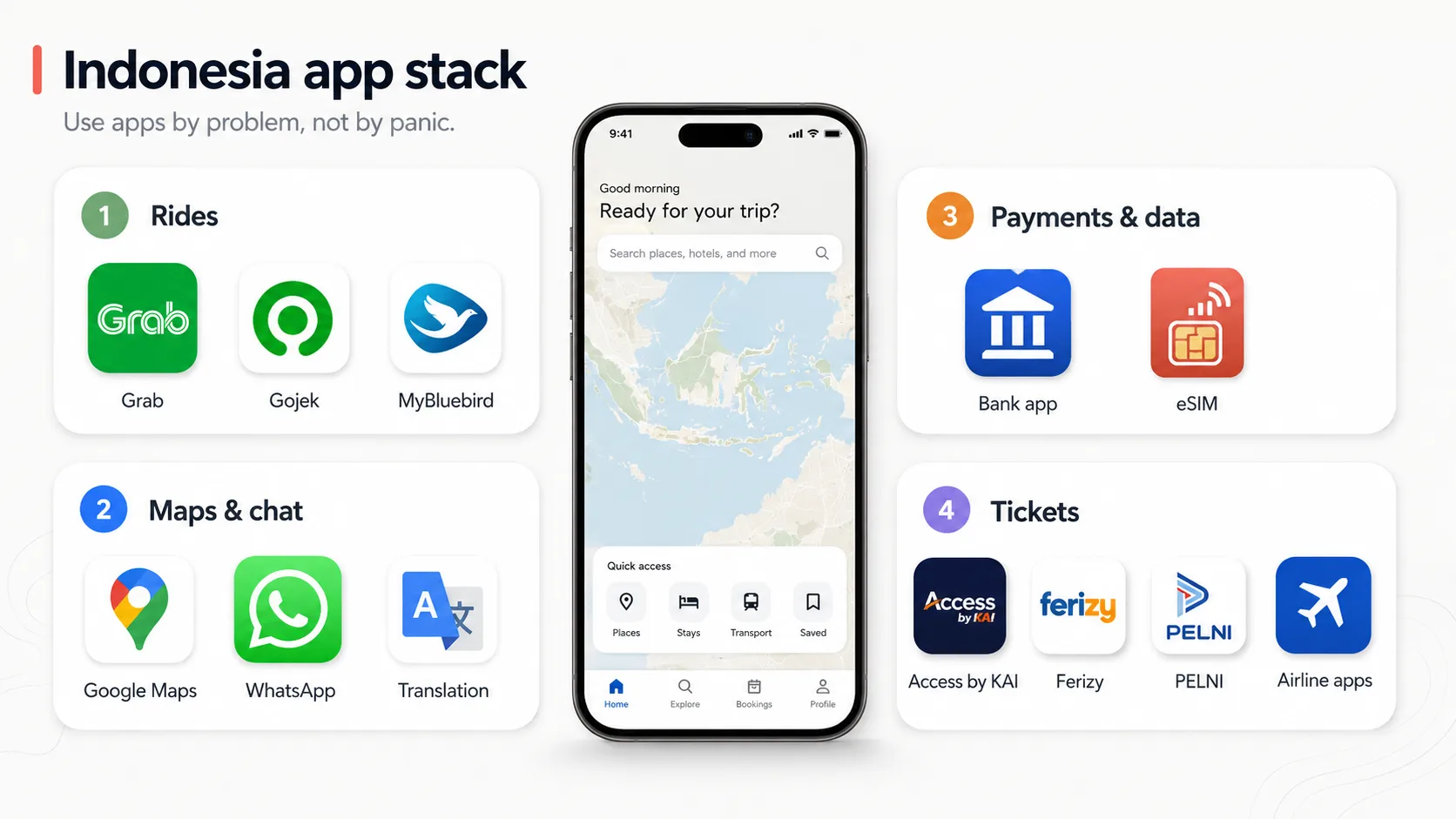
Install the apps your route needs, not every app somebody mentioned in a forum. For a normal first Indonesia trip, start with ride-hailing, maps, WhatsApp and your airline app. Add train, ferry or ship apps only when your route actually uses them.
The app is not the travel plan. It is the tool that makes the plan less annoying.
| Priority | Apps / sources | Use them for |
|---|---|---|
| Essential for most trips | Grab, Gojek, Google Maps, WhatsApp, airline app | City rides, routing, hotel or driver messages, flight changes and arrival logistics |
| Useful backup | MyBluebird, translation app, bank or card app | Metered taxi backup, menus and short messages, card alerts and payment controls |
| Route-specific | Access by KAI, Ferizy, PELNI, official operator pages | Trains, ASDP ferry routes, passenger ships and route-specific ticket checks |
| Do not rush to install | Random visa, ticket or transport apps from ads | These can create more risk than convenience if they are not official or clearly verified |


Setup before landing
Do the boring setup before your bags hit the carousel. Airport Wi-Fi is a bad place to discover that an app wants SMS verification, your card app needs a login code or your ferry ticket is hiding in a browser tab you closed.
- Install Grab, Gojek, WhatsApp, Maps and any route-specific ticket app you already know you need.
- Log in and verify phone number or email while you can still receive codes.
- Add at least one payment card, then keep another card and some rupiah cash as backup.
- Save your first hotel, airport, station, port and first transfer point in Maps.
- Download offline maps for your first city or island base.
- Save booking screenshots for flights, trains, ferries, hotels and airport pickups.
- Keep important phone numbers in WhatsApp or contacts, not only inside a booking app.
If an app refuses your card, that is annoying, but common enough to plan for. Try another card, cash option or a different service. This is why you installed backups.
App stack by trip type
A good app setup is small enough that you will actually use it. Start with the route, then add tools.
Bali first trip
Install: Grab, Gojek, WhatsApp, Maps, airline app, eSIM provider app.
Maybe: MyBluebird, hotel or airport-transfer source.
Reality check: airport pickup zones and foreign-card payment can still be annoying.
Jakarta first trip
Install: Grab, Gojek, MyBluebird, Maps, WhatsApp, airline app.
Maybe: MRT/KRL route source if using local rail.
Reality check: traffic makes backup ride options more useful than brand loyalty.
Java train route
Install: Access by KAI, Maps, Grab/Gojek, WhatsApp.
Maybe: KAI Commuter app or source for local rail checks.
Reality check: ticket ID rules and fare classes matter more than having another random app.
Ferry or fast-boat route
Install: operator booking source, Ferizy or PELNI if relevant.
Maybe: weather or BMKG bookmark, port contact.
Reality check: not every boat route belongs in Ferizy or PELNI.
Multi-island trip
Install: airline apps, eSIM/SIM support, transport apps, bank/card app.
Maybe: local airport, ferry or operator pages.
Reality check: screenshot bookings because signal and app logins can fail at the worst moment.
Business trip
Install: Grab/Gojek, MyBluebird, hotel app, WhatsApp, card app.
Maybe: airport transfer source, receipt or expense app.
Reality check: predictable pickup and receipts can matter more than the cheapest fare.
Do not install ten apps because a list told you to. Install the ones that solve your route, log in before flying and keep screenshots of bookings that matter.
App links and trade-offs: what to use, and what to check
Here is the practical version. Pick the apps for your route, not a giant app stack you will never open.
| App / source | Use it for | Real trade-off | Check before relying |
|---|---|---|---|
| Gojek | GoRide, GoCar, GoBluebird, food and local services | Coverage and pickup rules vary | Current services, payment, safety terms |
| Grab | GrabCar, GrabBike, airport products where available | Pickup zones and pricing vary | Airport rules, service coverage, payment |
| MyBluebird | Bluebird taxis and car rental options | Better in covered cities than remote areas | City coverage and app availability |
| Google Maps | Routing, walking checks, traffic sanity | Can be wrong for tiny lanes, ports and pickups | Local access and traffic reality |
| Drivers, hotels, operators, tours | Useful but not an official booking record by itself | Operator identity and payment terms | |
| Translation app | Menus, signs, allergy notes and short messages | Long translated paragraphs can get weird fast | Offline language pack and simple phrases |
| Bank or card app | Card controls, payment alerts and fraud checks | Your bank may flag travel payments | App access, card limits and support channel |
| eSIM or SIM provider app | Data setup and support | Data-only plans may not help with voice calls | Activation steps, coverage and support channel |
| Access by KAI | Official KAI train ticket and service access | Not every rail product is tourist-simple | Routes, fare classes, ID rules |
| Ferizy | ASDP ferry ticketing where supported | Route-specific, not every boat in Indonesia | Route, passenger class, vehicle rules |
| PELNI | Passenger ship booking and schedule checks | Slow travel, limited departures | Ship schedule, cabin, port and ID rules |
| Airline apps/sites | Flight booking, check-in, baggage | App quality varies | Baggage, terminal, cancellation, delays |
Transport apps
Grab and Gojek solve the most common short-distance problem: getting from where you are to where you need to be without negotiating from zero. They are especially useful in cities and tourist areas with decent coverage.
The annoying part is pickup rules. Airports, ports, stations, malls, hotels and local transport zones can have specific pickup points or restrictions. Use the app, but read the pickup instructions before you stand in the wrong zone.
For route-specific fare examples, use the detail guides instead of guessing from this app list: start with the Bali Airport Grab and Gojek guide, Grab vs Gojek in Indonesia, How to use Grab in Indonesia and How to use Gojek in Indonesia.
Payments and backup access
Foreign cards often work, until they do not. That is why you should keep at least one backup card, some rupiah cash and a working phone number or email for verification. If Grab or Gojek will not accept your card, try another card or use cash if the service allows it. Do not wait until a 5 a.m. airport transfer to discover your bank thinks Indonesia is suspicious.
For ticket apps, payment can be even more route-specific. Official channels are still the right place to start, but the payment step may not always love foreign cards. Build in time to solve it.
QRIS also matters, even if you never think about the acronym. Inside Grab or Gojek, the app handles the payment flow for rides and orders. For direct QR payments at a warung, cafe or shop, use GoPay in Gojek or OVO through Grab when your wallet is active and funded. The catch for tourists is setup: foreign cards, phone numbers, wallet activation and top-ups do not always work smoothly. Keep cash or a card backup, and read the QRIS for tourists in Indonesia guide for the direct merchant-payment side.
Bluebird is useful because it gives you a recognizable taxi option in many Indonesian cities. It is not always the cheapest answer. It is often a clean answer when you want a metered taxi brand, airport counter, or app taxi backup.
Use this especially in Jakarta and other cities with strong Bluebird coverage. Do not treat it as your island-wide answer for remote villages and smaller islands.
Maps, translation and messaging
Maps are not optional. Save your hotel, airport, station, port and first few stops before travel. Offline maps are useful when signal is weak or your eSIM activation takes longer than planned.
Translation apps help with menus, market questions, allergy notes, driver messages and signs. Keep the sentences short. “No peanuts, allergy” works better than a paragraph about your medical history.
WhatsApp is not official proof that every booking is legitimate, but it is how a lot of Indonesia travel coordination happens. Drivers, villas, small hotels, dive shops, guides, restaurants and local operators may all use it.
The practical rule: use WhatsApp for coordination, but be careful with deposits, links and identity. If someone sends a payment request, confirm you are dealing with the actual business or guide. A little caution here is cheaper than cleaning up a bad transfer.
Ticket apps
Access by KAI matters for train travel. Ferizy matters for ASDP ferry routes. PELNI matters for passenger ships. Airline apps matter when baggage, check-in, terminal changes or delays become your problem.
Traveloka and tiket.com are also common third-party travel apps in Indonesia, especially for hotels, flights and some transport or attraction bookings. They can be useful for comparison and convenience, but for fragile train, ferry, flight or entry-admin details, check the official operator or government source before relying on a booking flow.
Do not rely on old screenshots for booking windows, refund rules or payment methods. Check the current official source before booking anything time-sensitive.
What to avoid
Most bad app decisions happen under pressure: a search ad looks official, a driver sends a random payment link, or a ticket site promises to solve a route you have not checked. Use official operator apps where possible, and treat third-party booking apps as convenience tools, not magic authorities.
- Installing fake or unofficial apps from search ads.
- Using a third-party visa or ticket page because it looks official.
- Sending deposits before checking the operator identity.
- Assuming an app fare is the full travel cost when luggage, tolls, parking or waiting time may apply.
- Depending on one app without a backup payment method.
Also do not install an app five minutes before you need it and then get stuck on verification. Apps are useful when prepared. They are annoying as a last-minute fallback.
FAQ
Do I need both Grab and Gojek in Indonesia?
Yes. Install both. Grab and Gojek are the two ride-hailing apps most tourists should have in Indonesia because they give you backup on price, wait time, driver availability and pickup rules. In Bali, Jakarta and other busy areas, the better app is often the one with the clearer pickup point or shorter wait time at that exact moment.
Can tourists use Indonesian transport apps with foreign cards?
Yes, many tourists use foreign cards in Grab and Gojek. Add your card before you fly, keep your bank app reachable and carry rupiah cash as backup. If one foreign card fails, try another card or select cash where the service allows it. The mistake is not using a foreign card; the mistake is discovering the problem during a 5 a.m. airport transfer.
Can I use Grab or Gojek without an Indonesian phone number?
Yes, many travelers use Grab and Gojek with a foreign phone number. Set up the accounts before departure while your home SIM can still receive SMS or email codes. If you arrive with only a data-only eSIM and no way to receive verification messages, account setup can become annoying. Do the login work before landing.
Is WhatsApp really necessary?
Yes, install WhatsApp. Many hotels, drivers, guides, villas, dive shops and tour operators in Indonesia use it for coordination. Use it for pickup times, hotel messages and trip logistics. For payments and deposits, confirm that you are talking to the real business before sending money.
Which app should I use for trains in Indonesia?
Use Access by KAI for Indonesian intercity train tickets. That is the default app/source for KAI train travel. For local commuter rail in Jakarta, Yogyakarta or other cities, treat it as a separate local transport system and check the local operator or station guidance.
Should I book trains through third-party apps?
For important train legs, start with Access by KAI or official KAI channels. Use Traveloka or tiket.com as backup or convenience options when the route, train number, seat class, passenger name and timing match what you want. The trade-off is support: a third-party booking adds another layer if payment, refunds or changes become messy.
Do I need a local SIM or eSIM for Indonesian travel apps?
Yes. You need reliable mobile data if you want these apps to be useful. For short trips, a travel eSIM is usually the easiest setup. For longer stays or trips where local calls matter, a local SIM can be better. Do not build your Indonesia transport plan around hotel Wi-Fi.
Can I pay QRIS with Grab or Gojek?
Yes, QRIS can work through GoPay in Gojek or OVO through Grab when the wallet is active and funded. That can let you scan merchant QR codes at places like cafes, shops and warungs. For tourists, the weak point is not QRIS itself; it is wallet setup, top-ups, foreign cards and phone verification. Keep cash or a card backup and read the QRIS for tourists in Indonesia guide before relying on QR payment as your only plan.
Are visa or arrival-card apps official?
No. Random visa, arrival-card or entry-admin apps are not the official answer just because they look polished in an ad. For visas, arrival cards and entry admin, start with the official Indonesian government portal. Use travel guides to understand the process, but submit sensitive entry information only through official channels.
Sources for changing details
App availability, payment methods, foreign-card support, account verification, airport pickup rules, route coverage and operator booking flows can change. Use these pages before relying on exact app features or ticket rules.

I'm the person behind Simply Indonesia. I lived in Yogyakarta and Bali for more than five years, which is long enough to know that Indonesia is amazing, messy, generous, occasionally confusing and very bad at fitting into generic travel-blog advice.
I'm also a manual-brew coffee nerd, dangerously loyal to sate klathak, and far too interested in the small practical details that decide whether a trip feels smooth or stupidly annoying.
I write these guides for travelers who want the useful version: how to get out of the airport, where to stay, what food actually tastes like, when paying extra is normal, and when something really deserves a hard no.
No fake hidden gems. No "paradise awaits" nonsense. No panic about every 50k IDR price difference.